Push to deploy.
Live in seconds.
Connect a repo and get a hosting platform: framework detection, preview deploys on every pull request, instant rollback, custom domains with automatic HTTPS. It runs on idle consumer hardware, which is why it costs a flat fee instead of a metered bill.
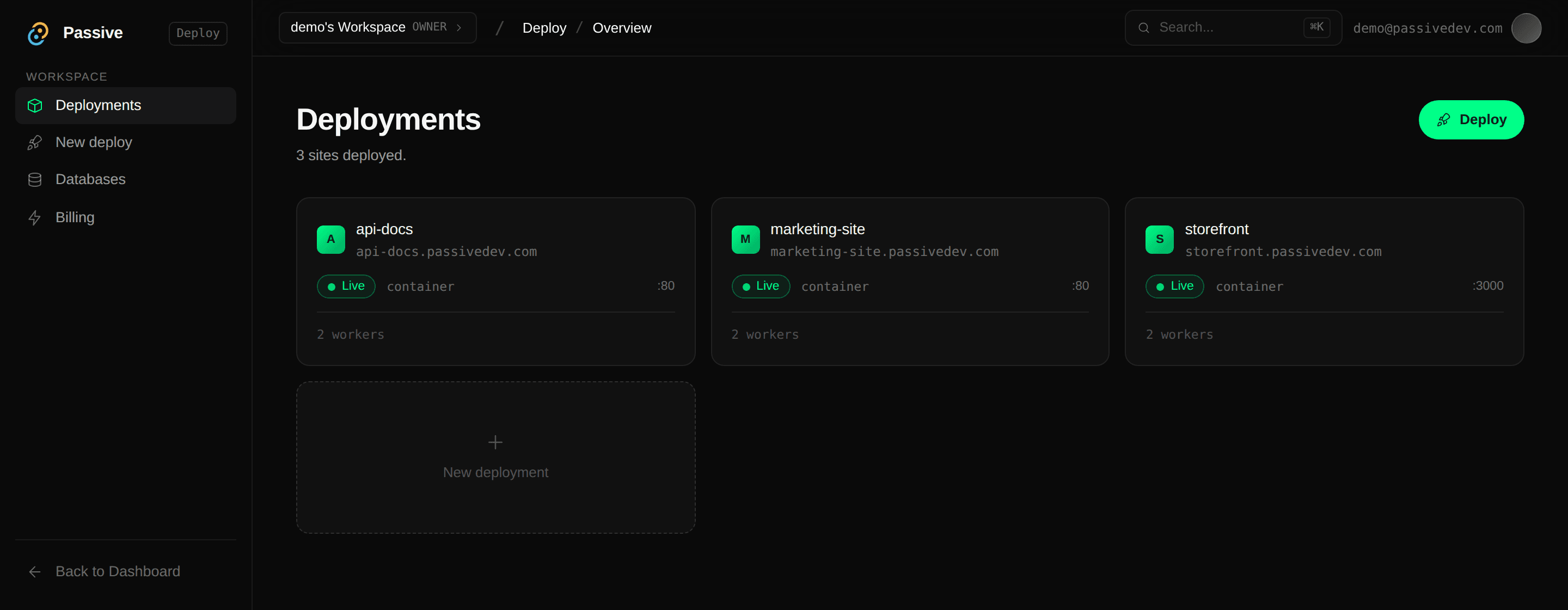
From a repo to a URL, without a config file.
Connect a repo
Sign in with GitHub, pick a repository and branch, or drag in a zip. A webhook is registered so later pushes redeploy on their own.
The framework is detected
Next.js as a server or a static export, Vite, Create React App, Gatsby, Angular, plain Node, a bare index.html, or your own Dockerfile. Install and build commands come from your lockfile. Override any of it before you deploy.
Built centrally, not on a worker
A dedicated builder service produces the artifact. Static bundles are stored content-addressed and served by the coordinator. Container images are pushed and pinned by digest, so a worker runs the exact bytes that were built.
Live on HTTPS
Your app answers at <name>.passivedev.com, or your own domain. It is placed on a primary and a backup that sit on different physical machines.
Everything around the deploy.
The parts you only notice when they are missing.
Preview deploys
Every pull request gets its own URL, a comment on the PR with the link, and teardown when it closes.
Blue/green releases
Boot a variant at zero traffic, split by weight with sticky sessions, watch per-variant conversion, then promote it.
Instant rollback
Go back to any of your last 10 deploys. Nothing rebuilds; it reuses the stored artifact.
Live logs
Build output, HTTP requests and application logs on one stream, with backlog on connect. It survives a worker failover.
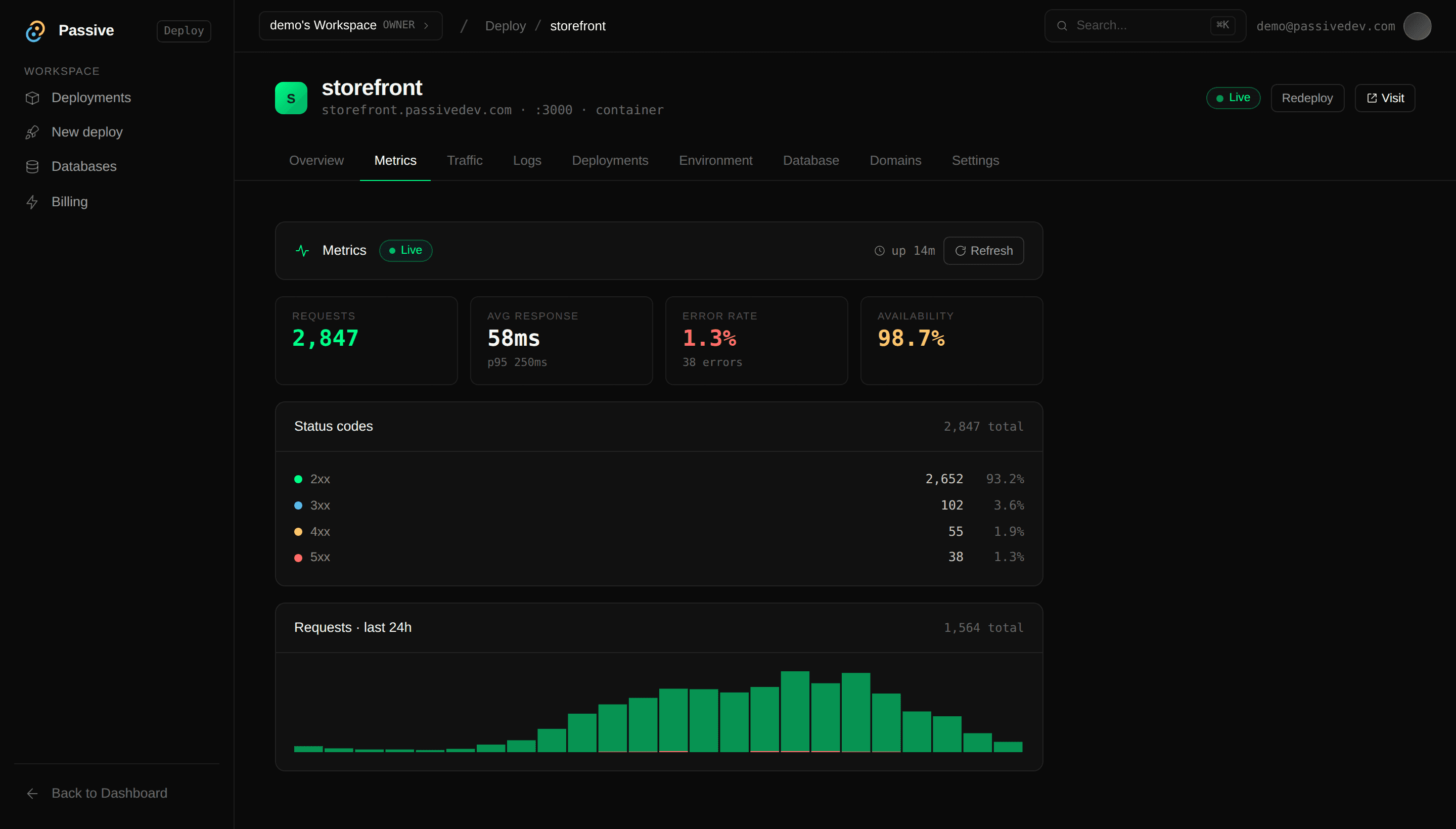
Metrics
Requests, status-code breakdown, latency percentiles and availability, over a rolling 24 hours.
Custom domains
Point DNS at the coordinator and HTTPS is issued for you. A domain that fails verification never gets a certificate.
Environment variables
Edit and redeploy. Values are masked when you read them back, and only public-prefixed keys ever reach the build.
Teams
Organizations with owner and member roles, and invite codes to bring people in.
# The dashboard drives everything below through this API.

curl -X POST https://api.passivedev.com/apps/deploy-git \
  -H "Authorization: Bearer $TOKEN" \
  -H "Content-Type: application/json" \
  -d '{"app_name": "landing", "repo_full_name": "you/your-repo", "branch": "main"}'

# Roll it back:
curl -X POST https://api.passivedev.com/apps/landing/rollback \
  -H "Authorization: Bearer $TOKEN" \
  -H "Content-Type: application/json" \
-d '{"deployment_id": "..."}'Someone else’s laptop can close.
Consumer hardware goes offline without warning, so the platform is built expecting it.
Every app is placed on a primary and a backup, and the backup is put on a different physical machine.
The worker probes your app every five seconds. Three consecutive failures and the container is restarted.
When a worker drops off, the coordinator promotes the backup and your app keeps serving. Log streams reattach to the new primary.
When a worker comes back, the coordinator asks it what it is running and redeploys anything missing, rather than assuming.
Postgres, on hardware we run.
Not open yetBuilt and tested, waiting on its host. Everything below describes what ships when it opens.
On hardware we run
Postgres lives on a dedicated host that runs no customer containers, kept separate from the contributed machines that serve your app.
Attached, not configured
Pick a database on the app's Database tab. It arrives as DATABASE_URL and the app redeploys. The value is never a build argument and it survives a rollback.
TLS required
Connections without TLS are rejected, and each database gets its own role and password.
# Attach a database to an app, and it redeploys with:

DATABASE_URL=postgresql://appdb_9f2c1a04:...@db.passivedev.com:5432/appdb_9f2c1a04?sslmode=require
The coordinator is the trust boundary.
Container isolation
Apps and job units run in resource-capped Docker containers, so one workload cannot exhaust the machine it shares.
TLS terminates at the coordinator
Caddy holds the certificates. Workers never see a private key, and a custom domain must point at the coordinator to verify.
Heartbeat-driven recovery
The coordinator watches dispatch, timeouts, and worker heartbeats. A silent worker is disconnected and its in-progress work requeues elsewhere.
Workers behind NAT
Workers dial out to the coordinator over a WebSocket connection. No inbound ports, no public IPs, no exposed services on the worker host.
A worker operator can read what an app processes on that host, which is why customer data and long-lived secrets never live on a worker.
One flat fee.
The cheapest datacenter in the world is the hardware people already own and are not using. That is the whole reason this can be a flat fee rather than a meter.
What you are not billed for
- —Per-second compute metering
- —Per-request charges
- —Bandwidth overage
- —A bigger bill because launch day went well
The price is announced at launch. The demo is open now and costs nothing.
These are running right now.
Real deployments on contributed hardware, served through the coordinator. Open them.
Plain HTML/CSS, served as-is — no build step.
temple-manager.passivedev.comFramework-detected, built, and served from a container.
smap.passivedev.comNo credit card.